Helpdesk and ticketing deployment at ZoopCoder starts at ₹1,00,000, with maintenance plans at ₹3,000 / ₹8,000 / ₹15,000+ per month. The English demo on this page shows 13 admin screens in 3 minutes 33 seconds, including Ticket Kanban, Knowledge Base, Save Reply, Ratings, Agent Reports, Office Hours, Roles, Custom Field and Tags. That is real evidence of a support back office. It is not evidence of the two things a support desk is actually judged on: no screen in the recording shows a ticket arriving from any channel — no mailbox, no web form, no chat widget, no WhatsApp — and no SLA target, countdown or breach appears anywhere, even though the video is titled “Ticket Assignment & SLA Tracking”. A custom build takes 6–16 weeks. Source code ownership and 30 days of post-launch support are included, with 30/40/30 milestone payments. Email sending, a WhatsApp Business API provider and any telephony are recurring third-party costs on top of the deployment fee. Before asking for a quote, count the support messages you receive in a normal week. Below roughly 30 a week, handled by one or two people, a shared mailbox and a spreadsheet still beat a ₹1,00,000 platform.
Full walkthrough · 3 min 33 sec · English
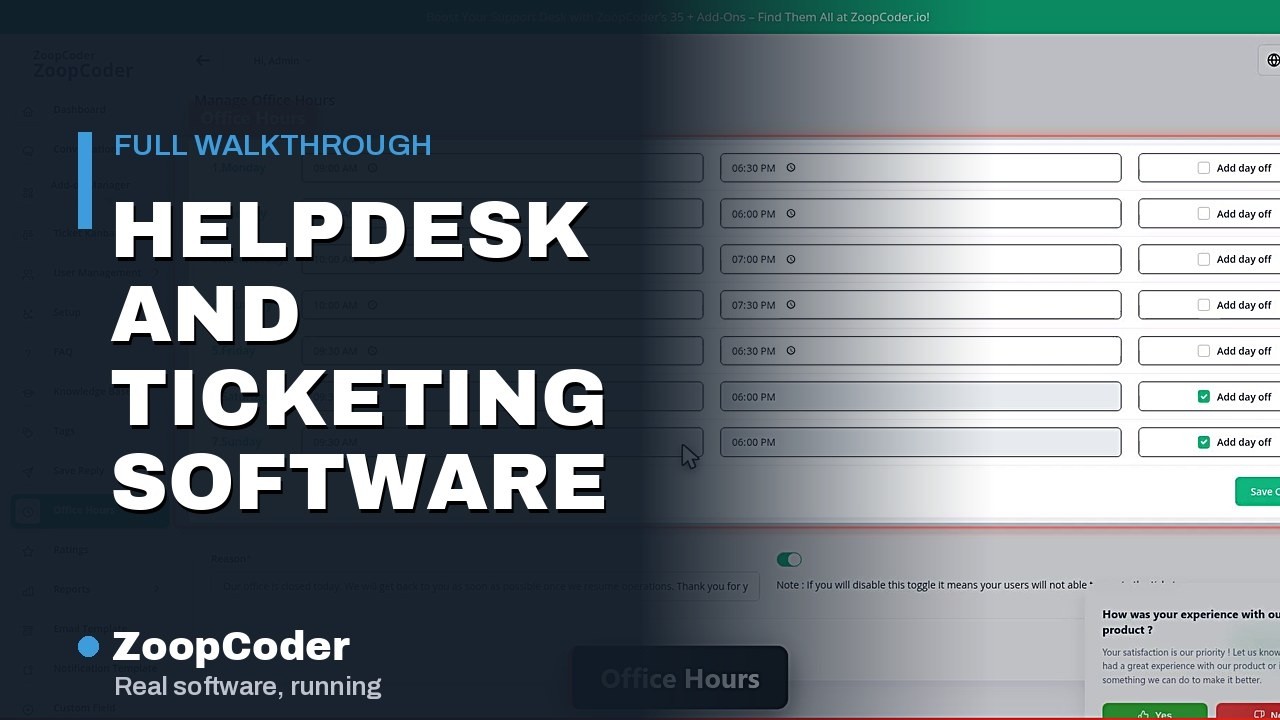
How this page was prepared: ZoopCoder sells deployment and development services. The screen inventory below comes from the recording plan for this published demo; the feature captions on the video are checked against it separately, further down. A screen title establishes which area was opened, not that every workflow in that area was tested. Demo records are not client results.
Start with one complaint and follow it to the end
Take the last genuine complaint your team received and walk it through on paper. Where did it arrive — a phone call, a WhatsApp message, a form on the website, a reply to an invoice email? Who saw it first, and how long before somebody answered? What did that person need to know about the customer to reply properly? Who decided it was finished, and did anyone ever ask the customer whether it actually was? Those five answers scope a helpdesk far more accurately than a feature list does.
They also decide whether you need one. A helpdesk earns its price when messages start getting lost between people, when nobody can say how long a reply takes, or when the person who knows the answer is not the person who received the question. If two people share one mailbox and nothing falls through, software will not make your customers happier — it will just add a screen between them and you.
Price the support desk you actually run
Tell us how many support messages you get in a week, which channels they arrive on, how many agents you have, and the response time you want to promise. Ask for the missing workflows on this page to be demonstrated inside the quote.
Which 13 screens does the helpdesk demo show?
The first column reproduces the recorded screen names. The final column is a buying test to request; it is not a claim that the recording demonstrates that behaviour. This is a shorter tour than most demos in this cluster, and the count is not padded — 13 screens is what was recorded.
| Recorded screen | Area shown | What to ask the vendor to prove |
|---|---|---|
| Dashboard | Support overview | Which counts are shown — open, unassigned, overdue — over what period, and do they move when a test ticket is raised? |
| Ticket Kanban | Ticket board | Can a ticket be opened, replied to, moved between columns and assigned to a named agent, with the customer notified? |
| Knowledge Base | Help article administration | Can an article be written, published and then found by a customer who is not logged in? |
| Save Reply | Canned reply records | Can a saved reply be inserted into a live ticket with the customer name and ticket number filled in automatically? |
| FAQ | FAQ content | Where does this show for a customer, and is it the same content as the Knowledge Base or a second copy someone has to maintain? |
| Ratings | Satisfaction rating records | When is the rating request sent, what happens if it is ignored, and can a low score alert a manager? |
| Agent Reports | Agent performance reporting | Which metrics exactly — first response, resolution time, tickets closed, reopened — and can the underlying rows be exported? |
| Office Hours | Business hours calendar | Do these hours pause a response clock outside working time, and how are Indian public holidays and a second shift handled? |
| Custom Field | Custom field settings | Can a required field be added to the form a customer fills in, and can tickets then be reported on by that field? |
| Tags | Tag administration | Who is allowed to create tags, and can a report group a month of tickets by tag to show what keeps breaking? |
| Roles | Role and permission settings | Can an agent be prevented from reading tickets belonging to another team, and can that restriction be tested in front of you? |
| User | User records | Are these agents, customers, or both in one list, and how is a customer record merged when the same person writes from a second email address? |
| Notification Template | Outbound notification templates | Which events send a message, on which channel, and can the wording be rewritten in your own language and tone? |
What the demo does not show
The video caption lists ticket creation and assignment, priority and SLA tracking, canned replies and a knowledge base, a customer portal, and agent performance reports. Measured against the recorded screens, two of those five claims have no supporting screen at all, one is supported only as a board rather than an action, and the two that are properly evidenced are the content features rather than the operational ones.
- Priority and SLA tracking: no supporting screen. This phrase is in the title of the video itself, which makes it the claim to check hardest. No SLA policy, response or resolution target, countdown on a ticket, breach list or escalation rule is opened in the recording. Office Hours is recorded, and a business-hours calendar is exactly what an SLA clock consults, so the groundwork is visible — but a calendar is not a timer. Priority does not appear as its own screen either.
- Customer portal: no supporting screen. All 13 screens are the agent and administrator side. Knowledge Base and FAQ are the content a portal would publish, and Ratings implies a customer was asked something, but the portal is never opened the way a customer would see it, and nobody logs in as one.
- Ticket creation and assignment: Ticket Kanban is opened, so a board of tickets plainly exists. No ticket is created, no ticket detail is opened, and no ticket is assigned to a named agent on camera. The board is evidence the tickets are there; it is not evidence of the workflow.
- Canned replies and knowledge base: fully supported. Save Reply, Knowledge Base and FAQ are three separate recorded screens. This is the best-evidenced claim on the video.
- Agent performance reports: supported as an area. Agent Reports and Ratings are both recorded. Which metrics are computed, and over what period, is not shown.
The gap the caption does not even claim: nothing shows a ticket arriving
Read the 13 screens again and look for the way work enters this system. There is no mailbox, no email-to-ticket setting, no forwarding address, no web contact form, no chat widget, no WhatsApp connection and no telephony. Notification Template is the opposite direction — a message the system sends out. Ticket Kanban displays tickets that already exist, with no indication of how they got there. For a support desk this is the most consequential thing to test, because intake is the difference between a helpdesk and a private to-do list: if customers cannot reach it on the channel they already use, somebody is copying messages in by hand, and that is the job you were trying to stop doing.
Also unproven here, and specific to the Indian market: WhatsApp Business API as a support channel, which is where most Indian consumer and SME customers actually write; replies in Hindi or a regional language; a ticket raised by a phone call being logged against the caller; GST-compliant paperwork when support is billed as a paid AMC; and bulk import of an existing ticket history. If any of those decides your purchase, make it an acceptance condition in the written scope. A menu entry is not evidence of a working integration.
What does deployment cost in India?
These are ZoopCoder published prices, checked on 15 September 2026, rather than a survey of other vendors. The starting price is not a promise that every feature discussed on this page is included.
| Item | Published figure | Quote boundary |
|---|---|---|
| Deployment and configuration | From ₹1,00,000 | Agree the delivered screens, branding, channel connections and acceptance tests. |
| Custom build | 6–16 weeks | A project timeline for agreed custom scope; not an instant deployment promise. |
| Monthly maintenance | ₹3,000 / ₹8,000 / ₹15,000+ | Basic / Professional / Enterprise. Select the plan against the published inclusions. |
| Ownership and initial support | Source code + 30 days support included | Project files and documentation are included in the published terms. |
| Milestone payments | 30% / 40% / 30% | Write the deliverable and acceptance condition for each milestone. |
| WhatsApp Business API | Not included | Bought from a provider, charged per conversation, with templates approved in advance. Quote it separately. |
| Transactional email sending | Not included | A recurring third-party cost that scales with ticket volume, and it decides whether replies reach the inbox or spam. |
Four decisions that change the quote
- Which channels must become tickets? Email, a website form, WhatsApp, Instagram, a phone call, a QR code on an invoice. Each one is a separate integration with its own cost and its own failure mode, and not one of them appears in this recording. List the channels you genuinely receive messages on today, in order of volume.
- What are you promising, to whom, and by when? A single response target for everyone is cheap. Different targets by customer tier, by product, or by paid contract needs an SLA engine, escalation rules and a breach report — none of which is demonstrated here. Write the promise down first, because it determines how much of this is configuration and how much is build.
- How many agents, and who may see what? Roles is a recorded screen, which is a good start. Whether a partner, a franchisee or an outsourced night shift can be given a view of only their own tickets is a design question, and it gets expensive after the fact.
- What history moves in on day one? Past tickets, the customer list, saved replies, help articles and any open complaints. Share the real formats and volumes. Importing a clean list of contacts is not the same job as migrating three years of threaded conversations with attachments.
When you should not buy this
- One or two people handle everything and nothing gets lost. A shared mailbox with labels is free and already works. Deployment from ₹1,00,000 buys structure you do not yet need; revisit when messages start falling between people.
- Your customers only ever write on WhatsApp. That connection is not in this recording, it is bought separately from a provider, and it is charged per conversation. If WhatsApp is your support desk, scope that integration explicitly and price it before you commit to anything else.
- You are buying it to enforce an SLA you have already promised a client. The SLA clock is the one thing this video is titled after and the one thing it never shows. Do not sign a client contract on the assumption it is ready; require a ticket to be watched from target to breach first.
- You want customers to self-serve and stop writing in. Knowledge Base and FAQ exist as admin screens, but the customer-facing portal is never opened. Deflection only works if the portal is genuinely findable and searchable, and this recording does not let you judge that.
- What you actually need is a sales pipeline. Tickets are for things that went wrong; leads are for things that might go right. The name plate on screen says CRM, but every recorded screen is support administration. Do not buy a ticketing tool to chase prospects.
- Your problem is the product, not the queue. If the same fault generates the same 200 complaints every month, a helpdesk will organise them beautifully and change nothing. Tags and Agent Reports will tell you what is breaking; fixing it is still a separate job.
- You need field engineers dispatched and parts tracked. That is field-service and inventory work. Look at the inventory demo instead, and treat scheduling a visit as scope this system does not demonstrate.
Five acceptance tests to put in the quote
- Send a message from a real customer address on every channel you listed, and confirm each one becomes a ticket with the sender identified and nothing typed in by hand.
- Set a response target, raise a ticket against it, let it run past the target outside office hours, and confirm the breach is visible and someone is told.
- Reply using a saved reply, confirm the customer name and ticket number fill in correctly, and check the message arrives in the inbox rather than spam.
- Log in as a test customer on the portal, read the reply, add a follow-up and find one Knowledge Base article by searching for it.
- Close the ticket, confirm the rating request is sent, submit a low score, and check that it appears in Agent Reports and reaches a manager.
These are proposed tests for the system you commission, not completed tests of this demo. Link each one to a milestone and record the result before signing it off.
Frequently asked questions
How much does helpdesk software cost in India?
ZoopCoder deployment starts at ₹1,00,000. Maintenance plans are ₹3,000, ₹8,000 and ₹15,000+ per month. A custom build takes 6–16 weeks. These are published starting figures, not a fixed quote for every support desk. Email sending, a WhatsApp Business API provider and any telephony you connect are recurring third-party costs and belong on separate lines of the written quote.
Does the demo prove SLA tracking?
No, and this is the most important gap on the page. SLA tracking appears in the title of the video, but none of the 13 recorded screens shows an SLA policy, a response or resolution target, a countdown timer on a ticket, a breach list or an escalation rule. Office Hours is recorded, and a business-hours calendar is what an SLA clock consults, so the foundation is visible. The clock itself is not. Ask for a ticket to be raised against a named target and watched until it breaches before you treat SLA as delivered.
Does the demo show how a ticket actually arrives?
No. Across all 13 screens there is no mailbox, no email-to-ticket setting, no web contact form, no chat widget and no WhatsApp or telephony connection. Notification Template is an outbound message the system sends, not an inbound channel. Ticket Kanban shows tickets that already exist. Intake is the single most important thing to test, because a helpdesk that your customers cannot reach on the channel they already use is a private to-do list.
Is there a customer portal in the recording?
A customer portal is listed in the video caption, but every one of the 13 screens is the agent and administrator side. Knowledge Base and FAQ are the content a portal would publish, and Ratings implies customers were asked something, yet the portal itself is never opened as a customer would see it. Ask to be shown the portal logged in as a test customer, raising a ticket and reading the reply.
Can it handle support on WhatsApp, which is where Indian customers actually write?
Nothing in the recording demonstrates a WhatsApp connection, and for most Indian consumer and SME support desks this is the deciding requirement. WhatsApp Business API access is bought from a provider, carries its own per-conversation charges, and requires template messages approved in advance for anything you send first. Name the provider, get the per-conversation cost in writing, and make a real message from a real phone into a real ticket part of the acceptance test.
What is the ZoopCoder CRM name shown on screen?
It is the product name plate visible during the recording. This demo is a tour of an existing helpdesk product being administered, not of software written from scratch on camera. Before paying, ask in writing which underlying product is deployed, who holds the licence, what the licence costs each year, and how the interface will be branded for your team.
Do I own the source code, and what support is included?
ZoopCoder published pricing includes source code ownership, project files and documentation, plus 30 days of post-launch support. Payments follow 30/40/30 milestones. Ongoing maintenance and any third-party service you choose are separate lines in the written quote.