Software demo · 4 min · Updated 6 September 2026

What does HR and payroll software actually do — and what does it cost in India?

Not a brochure — a recording of a working system. Sixteen admin screens, from the attendance register to the monthly salary run. Then the part most vendor pages leave out: what those four minutes do not show — including any PF, ESI or TDS screen — and the honest India price.

Quick answer

HR and payroll software exists to make attendance and salary one record instead of two — the day someone is marked present, the leave that gets approved and the weekly off that is configured all feed the same monthly payroll run, so the muster roll, the leave argument and the salary sheet stop being three documents that disagree. The video below is a recording of a working system, not a slideshow: 16 admin screens in four minutes — dashboard, attendance, appointments, salary report, employees, leave balance, notices, duty calendar, roles, departments, breaks, payroll setup, designations, commission, weekend setup and the Salary Generate run itself. In India, deployment starts at ₹1,00,000, maintenance from ₹3,000/month, and a from-scratch custom build of the same scope is a 6–16 week project. Two things before you read on: there is no PF, ESI or TDS screen anywhere in those four minutes even though the video caption lists statutory deductions among its features — that layer is a scope question you must ask in writing — and the number that decides whether this pays for itself is not your headcount, it is how many different ways salary is calculated inside one company.

Full walkthrough · 4 min · English
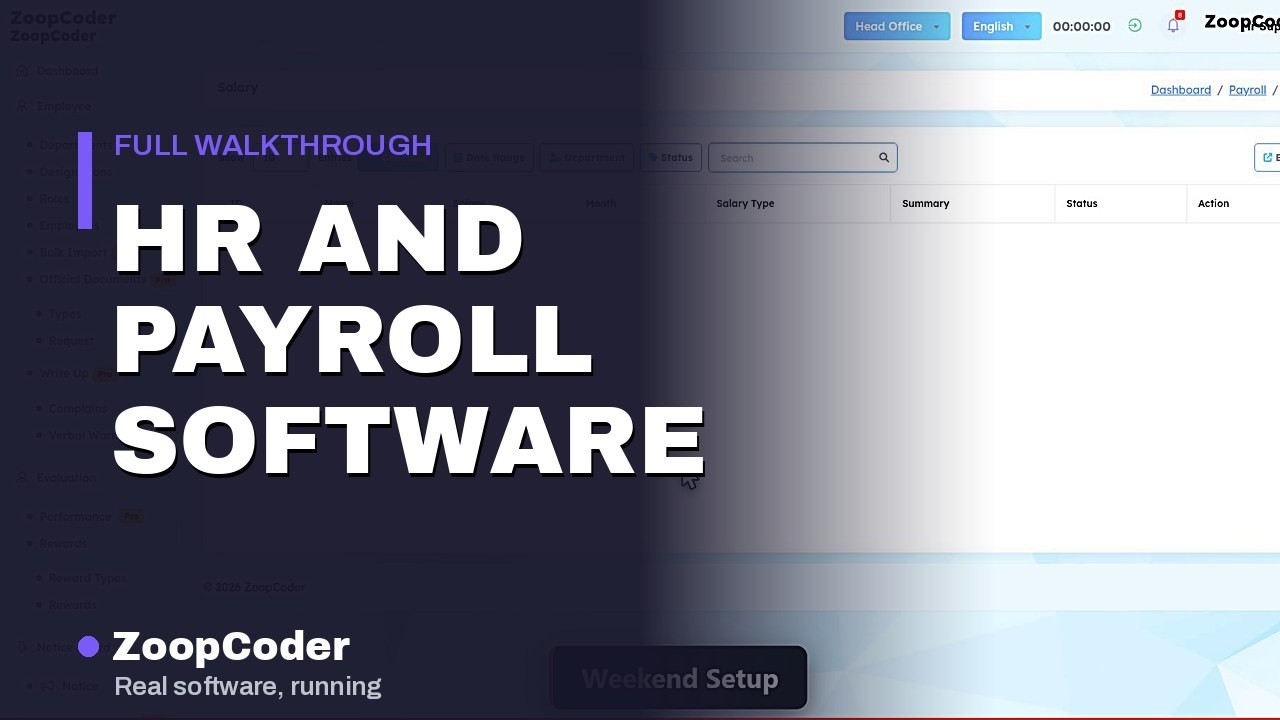
Opening frame of the demo: HR and payroll software - attendance to leave approvals in one system
Recorded on a live system with real screens — nothing here is a mockup. Watch on YouTube ›
The rule: count the pay rules, not the people

Before you price any HR system, write down every distinct way a salary is worked out in your company today — flat monthly, per day for the staff who are marked absent, per shift for the night team, piece rate on the floor, commission for sales, overtime after a certain hour, a different weekly off for the branch that works Sundays. If the list has one or two lines, your payroll is a spreadsheet problem and it will stay one; buying software will not give you back the hour it takes. If it has four or more, that list is exactly where your month-end goes and where the disputes come from, and a system that holds those rules once and applies them the same way every month is worth more than any feature comparison. Ten minutes with a pen tells you more than three demo calls.

ZoopCoder is paid to deploy these systems, and the rule above tells a share of readers — small teams on flat salaries, offices where nobody has ever queried a payslip — not to buy one yet. That is deliberate. A company that installs payroll software before its pay rules need it ends up maintaining the spreadsheet and the system, which is worse than either.

Want this priced for your business?

Tell us how many people you pay, how many different ways their salary is calculated, whether attendance is on paper or a biometric device today, and whether PF, ESI and TDS have to live inside the system or stay with your consultant. We come back with a fixed, itemised number — on WhatsApp, within one working day.

Get my payroll quoted

The sixteen screens in the demo — and what each one replaces

This is not a feature list. It is the set of screens the recording above actually walks through, with the thing in your office each one exists to replace. If a screen is not in this table, it is not in the video.

Screen What it does in the system What it replaces today
DashboardThe people position at a glance — who is on the rolls, what the month looks likeAsking three supervisors how many people turned up today
AttendancePresent, absent and late marked against a person and a date, in the same system that later pays themA paper muster roll that is copied into a spreadsheet at month end
Appointments
a scheduling module on the same platform, not an HR core screen
Time-slot bookings held against staff — useful if your people are booked by clients, irrelevant if they are notA diary at the front desk
Salary ReportWhat was paid, to whom, for which period, readable after the run instead of only during itTwelve spreadsheets in a folder, each built slightly differently
EmployeesThe employee master — the single record everything else in the system hangs offA drawer of joining letters and a contact list on one person’s phone
Leave BalanceHow much leave each person has left, held by the system rather than by memoryThe annual argument about how many days someone actually took
NoticeAnnouncements posted where every employee sees the same versionA WhatsApp group message nobody can find two weeks later
Duty CalendarWho is rostered on which day, laid out as a calendar rather than a messageA whiteboard roster that only exists in one room
RolesWho can see and change what — so a supervisor can mark attendance without seeing everyone’s salaryEverybody working from the owner’s login
DepartmentsThe structure staff are filed under, so cost and attendance can be read by teamSorting a spreadsheet by hand whenever someone asks a question
BreaksBreak windows defined once, so paid and unpaid time is a setting and not an opinionDisputes about whether the lunch hour is deducted
SetupThe payroll configuration itself — the rules the monthly run readsPay rules that live in one person’s head and leave when they do
DesignationsJob titles as records, so offer letters and reports use the same wordsThree different titles for the same job across three documents
CommissionIncentive treated as a pay component inside the run, not a side calculationA separate incentive sheet mailed on the third of the month, always late
Weekend SetupWhich days are the weekly off, per the way your business actually worksManual deductions that go wrong for the staff whose off day is not Sunday
Salary GenerateThe monthly payroll run — attendance, leave, weekly offs and components resolved into a figure per personThe two days at month end when one person rebuilds the salary sheet by hand

Sixteen rows, sixteen screens — this table is the recording, in order, with nothing added.

What the demo does not show — read this before you assume

The video is captioned with employee records and documents, attendance and shifts, leave approvals, salary slips and payroll run, and PF, ESI and TDS deductions as the features it covers. Three of those are genuinely on screen: Employees, Attendance and Leave Balance are all walked, and Salary Generate is the payroll run. The last one deserves a straight answer. There is no PF or ESI contribution screen in those four minutes, no TDS slab or employee declaration screen, no challan, no Form 16, and no statutory return being filed. Nor is there a biometric or fingerprint device being read, a bank transfer file being exported for salary disbursement, an employee document upload, a reimbursement or expense claim, or a self-service login where an employee downloads their own payslip. Leave Balance is a balance screen; the recording does not show an employee raising a request and a manager approving it. Those capabilities are part of what ZoopCoder builds and configures — but they are not what you are watching, and we would rather write that sentence than have you find it out on a demo call. If statutory compliance is the reason you are buying, do not buy on the strength of this video — ask on WhatsApp and we will walk what exists, and quote what does not, before any money moves.

One more thing the screen list tells you that the caption does not. Attendance, breaks, weekend setup, duty calendar, commission and a salary run in one panel is an attendance-driven payroll back office — the shape that fits a factory, a retail chain, a restaurant group, a clinic or an agency where who worked which shift decides what is paid. It is not a talent suite: there is no recruitment pipeline, no appraisal or performance review cycle, no goal setting and no onboarding workflow in it. If what you actually need is hiring and performance management rather than attendance and salary, say so in your first message and we will quote that instead of this.

What HR and payroll software costs in India (2026)

These are ZoopCoder’s own published numbers, from the pricing page — not a market survey. Your exact figure comes from a fixed written quote, returned in 24–48 hours.

Route What you get Price Time
Deploy & configure the system in this videoYour employees loaded, departments and designations set up, salary components and weekly offs configured, leave rules entered, roles created, staff trainedFrom ₹1,00,000Weeks, not months
Custom build from scratchBuilt around pay rules no ready system matches — your own shift maths, your own incentive scheme, your own statutory scopeCustom software, from ₹1,00,0006–16 weeks
Keeping it runningSecurity updates, backups, bug fixes, support — Basic / Professional / Enterprise₹3,000 / ₹8,000 / ₹15,000+ per monthOngoing
Third-party accounts & hardwareBiometric or face attendance devices, SMS or WhatsApp sender accounts, your bank’s salary upload facility — bought and opened in your own name, with their own costsNot included in the aboveYours to keep
Included either wayFull source code and database ownership, documentation, 30 days post-launch support, staff training₹0 extra

Payments follow the standard schedule — 30% at kickoff, 40% at the mid-project milestone, 30% on delivery. Build times match the window in our timeline guide, where every three days you take to approve a stage adds roughly a week to the calendar.

What actually drives the price up

Not your headcount. Four things, in this order:

  1. How many ways salary is calculated. A company where everyone is on a flat monthly figure is a small project. A company with monthly staff, daily-wage staff, a night shift on a different rate, piece rate on the floor and a sales team on commission has five payroll engines wearing one name. Each rule has to be written down, agreed and tested against a real month before go-live. This is the single largest line and it is almost always budgeted at zero.
  2. Whether statutory work lives inside the system. PF, ESI, professional tax, TDS declarations and Form 16 are not in the recording above. Handling them inside the software — rather than exporting a salary sheet to the consultant who already files them — is a real scope decision with a real price. Decide it before you sign, not in month three.
  3. What the attendance actually comes from. Typed in by a supervisor is one thing. A biometric or face device on each floor, pushing punches into the system, is an integration with its own device models, its own network problems and its own duplicate-punch edge cases. So is a bank salary upload file that must match your bank’s exact format. Neither is a checkbox.
  4. When you switch over, and with what history. Going live mid financial year means opening leave balances, year-to-date earnings and prior deductions all have to be brought in and reconciled, or the first payslip is wrong in front of every employee at once. The cheapest go-live is the start of a financial year with a clean, agreed employee master.

When you should not buy this

  • Under about ten people, all on flat monthly salaries. If nobody is paid by attendance and nobody has queried a payslip this year, the spreadsheet is winning and it costs nothing. Come back when a second pay rule appears.
  • You are buying it for PF, ESI and TDS. Those screens are not in this recording. If statutory compliance is the whole reason for the purchase, get that scope quoted and demonstrated separately — buying this video and hoping is how people end up disappointed in month two.
  • You want recruitment, appraisals or performance reviews. There is no hiring pipeline, no goal setting and no review cycle here. This is attendance and payroll. Ask for the other scope by name so we quote the right thing.
  • Nobody will mark attendance every day. Payroll software is only as true as its daily input. If the muster roll is already filled in on the 30th from memory, a system will simply record that same fiction faster and with more authority.
  • Your leave policy is not written down yet. A system cannot hold a leave balance until somebody decides how many days accrue, whether they carry forward and what happens on exit. Write the policy first; it is a free afternoon and it is the actual prerequisite.
  • You want to go live in the middle of the financial year. Mid-year switchover means carrying opening balances and year-to-date figures across, and the first wrong payslip is seen by every employee at the same time. Pick April, or a month you can run in parallel.

Frequently asked questions

What does HR and payroll software actually do?

It makes attendance and salary the same record instead of two. Marked attendance, approved leave and configured weekly offs all feed the same monthly run, so the muster roll, the leave argument and the salary sheet stop disagreeing. Sixteen admin screens, all shown in the demo above. Note the shape of it: attendance, breaks, duty calendar, commission and a salary run in one panel is an attendance-driven payroll back office, not a talent or recruitment suite.

How much does it cost in India in 2026?

Deployment and configuration starts at ₹1,00,000, maintenance runs ₹3,000 / ₹8,000 / ₹15,000+ per month by plan, and a from-scratch custom build of the same scope is 6–16 weeks and priced as custom software. The number of distinct pay rules, whether statutory work sits inside the system, and biometric or bank integrations move the price far more than headcount does.

Does the demo show PF, ESI and TDS?

No. The video is captioned with PF, ESI and TDS deductions among its covered features, but the sixteen screens it walks contain no contribution setup, no TDS slab or declaration screen, no challan, no Form 16 and no return being filed. There is also no biometric device screen, no bank salary transfer file and no employee self-service payslip login. If compliance is why you are buying, get that scope quoted and shown separately.

Do we own the code and the employee data?

Yes — source code, database and project files, with documentation, handed over as part of the quoted price and no release fee. Get this in writing from any vendor. A payroll system holds every salary figure, bank detail and leave record in the company, which is the most sensitive database a small business owns, so a vendor who keeps the code and hosts it only on their own account is holding your employee data.

Is it worth it for a small team?

For under roughly ten people on flat monthly salaries, usually not. The honest test is how long payroll takes and how often it is challenged: if one person rebuilds the same sheet in under two hours and nobody has queried a figure this year, a system will sit unused. Attendance deciding pay, differing shifts and weekly offs, or two people needing to agree on one leave balance is where it starts paying back.

Get a fixed quote for your payroll

Send us how many people you pay, how many different ways their salary is calculated, how attendance is captured today, and whether PF, ESI and TDS must live inside the system. We come back with an itemised, fixed-price quote within 24–48 hours — including what we would leave out to bring the number down, and what year one costs to run.

We'll reach out to you on WhatsApp

Your information is 100% secure. We respect your privacy.

Related demos & guides

All software demos · Inventory management software demo · POS billing software demo · Hospital management software demo · Hotel management software demo · Custom software development · How long it takes to build · What a quote must include · ZoopCoder pricing